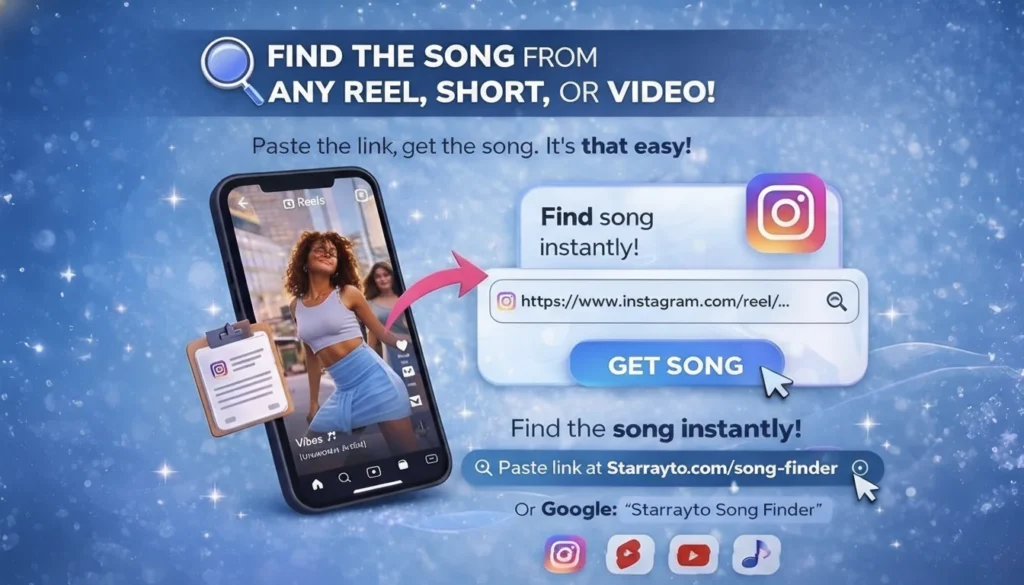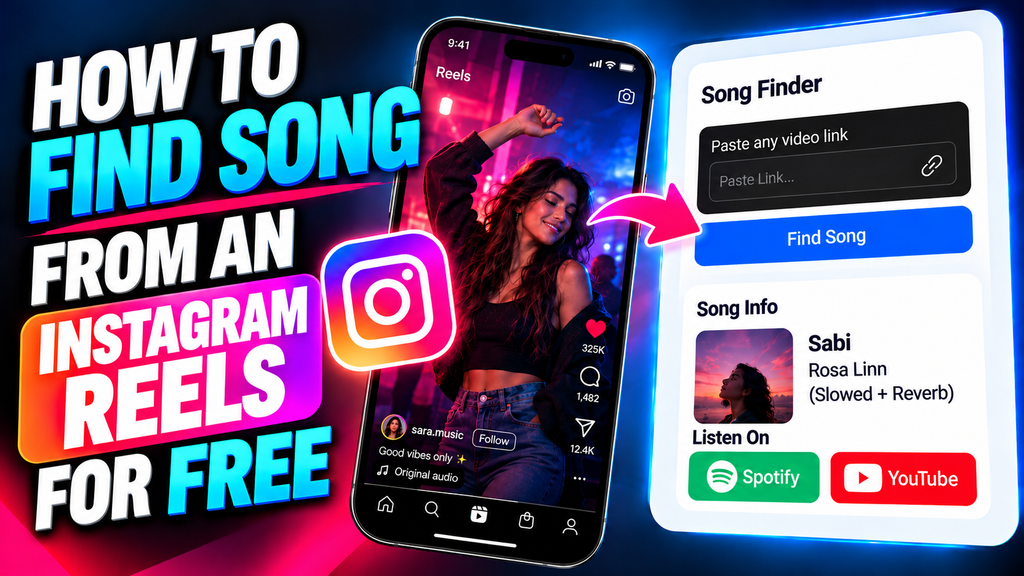
To find a song from an Instagram Reel using a link, copy the Reel URL, paste it into Starrayto Song Finder, and start song recognition. If the video is accessible and the audio can be matched, the tool can help identify the song and artist and provide available music links. You do not need to know the lyrics or remember the song title.
Instagram Reels frequently feature trending audio, remixes, original sounds, and background music mixed with speech. Sometimes, the displayed audio name does not reveal the original track, or the music is difficult to identify from a short clip. In these situations, a song finder that starts with the video link can be a useful option.
How to Find a Song from an Instagram Reel Using a Link
If you have found a Reel with music you like but cannot identify the track, follow these steps.
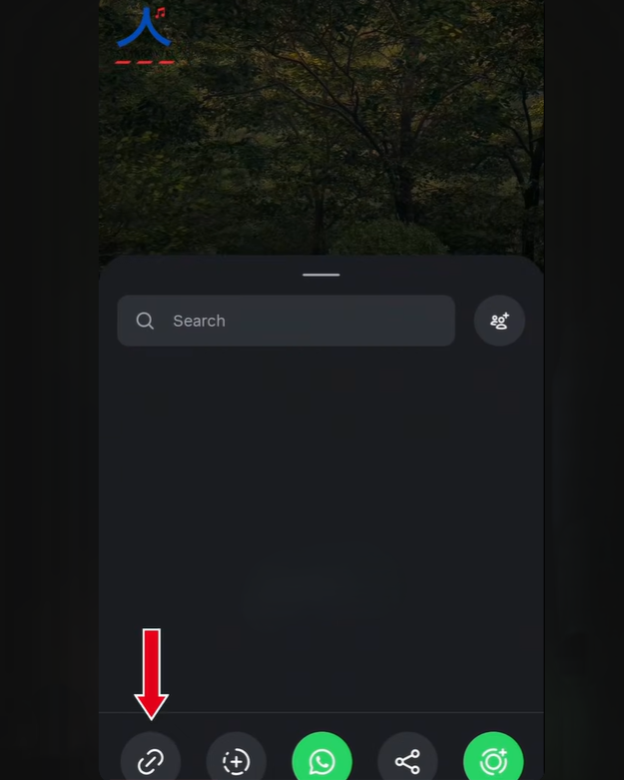
Step 1: Copy the Instagram Reel Link
Open Instagram Reel and find the video containing the song you want to identify.
• Open the video.
• Tap the Share button.
• Select Copy link from the available options.
If you’re using TikTok in a desktop browser, you can usually copy the video URL directly from the address bar.
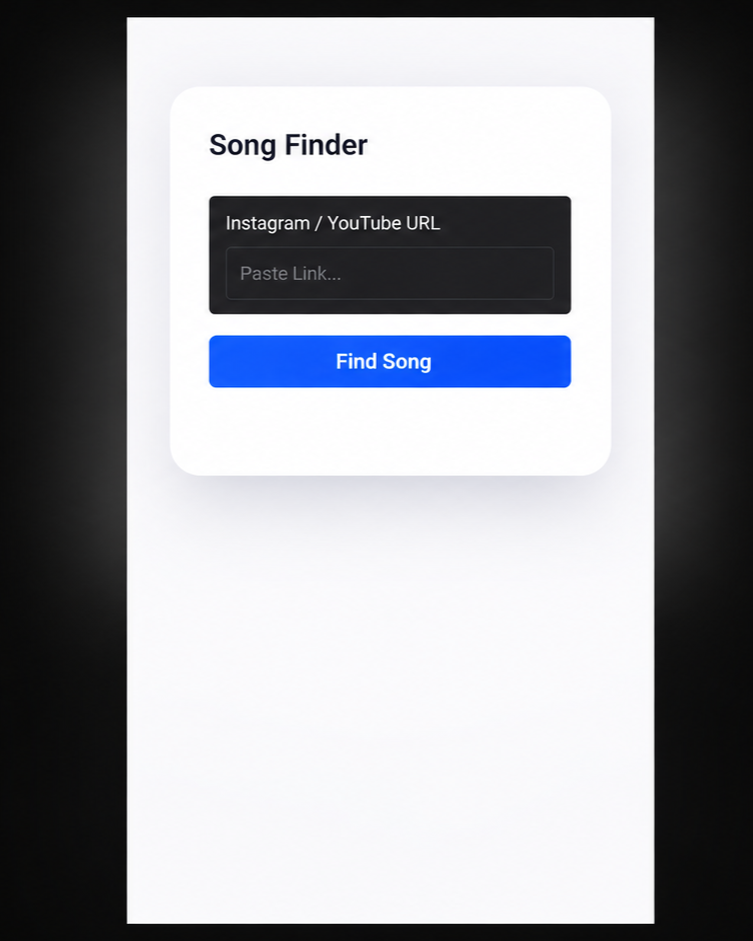
Step 2: Paste the Link into Starrayto Song Finder
Visit Starrayto Song Finder and paste the copied Instagram Reel link into the input field.
You do not need to search for lyrics, guess the song title, or manually download the video first. The tool attempts to process supported video links, depending on whether the Reel and its audio are accessible.
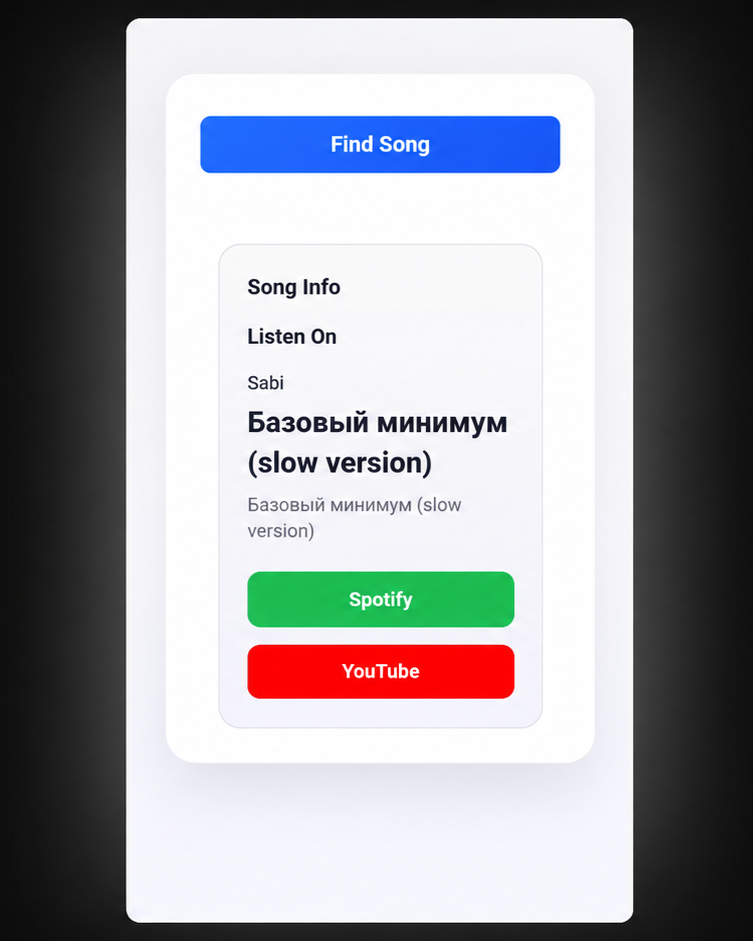
Step 3: Discover the Song and Get Its Music Links
Starrayto Song Finder identifies the song from your Instagram Reel and provides the song title, artist, and available music links.
Ready to find your song?
Try Starrayto Song Finder and discover the music behind your Reel.
Why Is It Difficult to Find a Song on Instagram Reels?
Instagram makes music easy to discover, but identifying a particular track can still be challenging. The way a creator adds audio to a Reel can affect how easily you find its name.
1. The Reel Uses Original Audio
Some Reels display an original audio label instead of a recognizable song title. The audio might contain a song uploaded with the video, a voiceover, a custom edit, or several sounds combined together.
Tapping the audio attribution may show other Reels using that sound, but it may not reveal the original music. If the track is not identified there, a song recognition tool may help.
2. The Song Is Mixed with Speech
Creators often add music underneath dialogue, commentary, tutorials, or voiceovers. When speech overlaps with the melody, there may be less clear audio available for recognition.
If possible, try a version of the Reel where the music is louder or plays without speech. A clearer sample may improve the chances of identifying the track.
3. The Reel Uses a Remix or Edited Song
Trending Instagram audio often includes sped-up songs, slowed-down tracks, mashups, remixes, and short edits. These versions may sound noticeably different from the original recording.
A song finder might recognize the original track if enough of its audio remains recognizable. However, it may not identify the precise remix or edited version.
4. The Music Appears for Only a Few Seconds
A short Reel may contain only a brief section of a song. If that section lacks distinctive vocals or melody, it can be difficult for a recognition system to identify the track.
When possible, look for another Reel using the same music with a longer or clearer section.
5. The Reel Cannot Be Accessed
Private accounts, deleted Reels, access restrictions, and changes in how Instagram serves video content can prevent external tools from processing a link.
If the song finder cannot access the video, try another method using audio you can legitimately play or access.
How to Find a Song Using Instagram’s Audio Page
Before using another tool, check whether Instagram already displays the song information.
Check the Audio Attribution
Open the Reel and look for the audio attribution displayed near the account information or at the bottom of the video. Tap the audio name to open its associated page.
If the creator used a recognized track from Instagram’s music library, the song title and artist may appear there.
Explore Other Reels Using the Same Sound
The audio page may show other videos using the same sound. This is useful when you want to find the same version of a trending track or see how other creators have used it.
However, not every audio page identifies the underlying song. A custom upload or original audio label may provide limited information.
Check Whether the Track Is an Official Music-Library Entry
If Instagram identifies the audio as a particular song, compare that listing with what you hear. Some creators use alternate versions or edits that differ from the standard recording.
If the audio page does not help, you can try identifying the track from the Reel link with Starrayto Song Finder.
Other Ways to Identify Music from an Instagram Reel
A link-based song finder is one option, but the best method depends on the audio and what information is available.
Use Shazam or Another Audio Recognition App
Audio recognition apps listen to a sample of music and compare it with their databases. This can be useful when the song is playing clearly and you can capture a suitable sample.
Depending on your device and app, you may be able to identify audio playing on the same device or use a second device to listen to the Reel.
If you prefer to start with the video URL rather than playing the audio for recognition, try Starrayto Song Finder.
Search for Lyrics You Can Hear
If the Reel contains vocals, listen for a short, distinctive lyric and search for that phrase along with the word “lyrics” or “song.”
This can work well when the words are clear. It is less useful for instrumental tracks, heavily edited vocals, or songs in languages you do not understand.
Read the Caption and Comments
Creators sometimes mention a track in the caption, while viewers may ask for the song name in the comments.
Look for comments containing phrases such as “song name,” “track ID,” or “what is this music?” The answer may already be there, although this method depends on whether someone has identified the track.
Search for the Same Audio in Other Videos
If you recognize the melody but cannot identify the track, another creator may have used a clearer version of the same music.
A Reel with less speech, fewer sound effects, or a longer music section can provide a better sample for recognition.
Can You Find a Song from an Instagram Reel Without Knowing the Lyrics?
Yes. You can attempt to identify a song without knowing any lyrics by submitting the Reel link to a song recognition tool.
Open Starrayto Song Finder, paste the supported video link, and start recognition. If the audio is accessible and matches a track in the available database, the tool may return the song and artist details.
This approach can be particularly useful when:
- The Reel contains instrumental music.
- You remember the melody but not the song title.
- The track is playing quietly in the background.
- The lyrics are in another language.
- You heard only a short section of the song.
Recognition is not guaranteed. Audio quality, clip length, editing, and database coverage can all affect the result.
How to Find Background Music from an Instagram Reel
Background music can be harder to identify than a song playing on its own because it may be mixed with dialogue, sound effects, or environmental noise.
Try the following approach:
- Start with the original Reel. Copy the link and submit it to a song finder that supports the video.
- Check the audio attribution. Instagram may already show the song title and artist.
- Find a clearer version. Look for another Reel using the same music with less speech or noise.
- Try audio recognition. Use an audio recognition app if the music plays clearly enough.
- Search any lyrics you recognize. A distinctive lyric may lead you to the track.
If the music is too quiet or heavily masked by speech, a recognition tool may not be able to identify it. Trying a clearer sample is often more useful than repeatedly submitting the same audio.
Can You Identify a Song from Instagram Original Audio?
Sometimes. The original audio label does not necessarily mean that the sound contains no commercially released music. It may simply mean that the audio was uploaded with the video rather than displayed as a recognized music-library track.
For example, a creator might upload a Reel with background music, add a voiceover, or combine a song with sound effects. The resulting audio may not display the original song’s title.
If the audio page does not identify the track, submit the Reel link to Starrayto Song Finder. The tool may identify the music if it can access the video and match the recording.
If the song is not recognized, try a clearer version of the audio or use another recognition method.
Can a Song Finder Identify Trending Instagram Songs and Remixes?
A song finder may identify trending Instagram music when the recording contains enough recognizable audio to match a track in its database.
Instagram Reels may use several versions of the same song, including:
- Original studio recordings
- Sped-up or slowed-down edits
- Remixes and mashups
- Instrumental versions
- Covers and live performances
- Short edits with added sound effects
A recognition result may identify the original song without identifying the exact version used in the Reel. For instance, a sped-up clip may return the standard release rather than the edited version.
If you need the exact version, compare the result with the Reel and check the Instagram audio page for other videos using the same sound.
What to Do If Starrayto Song Finder Cannot Identify an Instagram Reel Song
If the tool does not return a result, the problem may be related to the link, the audio, or the track itself. Try these steps before giving up.
1. Check the Reel URL
Make sure you copied the actual Reel link rather than a profile URL or an unrelated Instagram page.
2. Check Whether the Reel Is Accessible
Private, deleted, restricted, or otherwise inaccessible videos may not be available for processing. Try another accessible version if one exists.
3. Look for a Clearer Version of the Song
A Reel containing loud speech, sound effects, or only a few seconds of music may not provide enough recognizable audio. Search for another Reel that uses the same track more clearly.
4. Check Instagram’s Audio Page
The audio attribution may already identify the song. If the sound is labelled as original audio, explore other Reels using it to see whether a creator or viewer has identified the track.
5. Try Another Recognition Method
Use an audio recognition app while the music plays, or search for distinctive lyrics if the track contains vocals.
6. Consider Whether the Track Is a Custom Edit
An unreleased song, obscure remix, heavily altered recording, or original composition may not match a track in a recognition database.
A failed match does not necessarily mean that the tool is malfunctioning. The audio may not contain enough information for reliable identification.
Why Use Starrayto Song Finder for Instagram Reels?
When you hear a song in a Reel, you may not want to spend time guessing lyrics, checking multiple comments, or searching through similar tracks.
Starrayto Song Finder provides a link-based approach to attempting song recognition from supported video links. Instead of beginning with a song title, you can start with the video where you heard the music.
Free for a Lifetime
Starrayto Song Finder is free for a lifetime, so you can try the tool without paying for a subscription.
Start with a Video Link
Submit a supported video URL instead of searching for the song title or remembering the lyrics.
Identify Songs Without Knowing the Lyrics
Try to identify instrumental music, background tracks, or songs you have heard only briefly.
Get Song and Artist Information
When a match is available, the results may include the song title, artist information, and available music links.
Try It Directly in Your Browser
Start from the video link and see whether the song can be identified without manually searching through multiple possible titles.
Results depend on whether the video can be processed and whether the audio can be matched. Private or restricted videos, unclear recordings, and heavily modified tracks may not produce a result.
Find the Song Behind Your Instagram Reel
Heard a track you like but cannot find its name? Start with the Reel where you heard it.
Find a Song from an Instagram Reel with Starrayto Song Finder
Copy your link, submit it, and try the tool for free for a lifetime.
Frequently Asked Questions About Finding Songs from Instagram Reels
1. How do I find a song from an Instagram Reel using a link?
Copy the Reel link using Instagram’s Share option, open Starrayto Song Finder, and paste the URL into the input field. Start recognition to see whether the tool can identify the song and artist.
2. Can I find a song from an Instagram Reel without downloading the video?
You can start by submitting the Reel link to a link-based song finder, so you do not need to download the video manually. Whether the tool can process the Reel depends on its accessibility and supported video formats.
3. How can I identify an Instagram song without knowing the lyrics?
Use a song recognition tool with the Reel link or try an audio recognition app while the music plays. You do not need to know the lyrics if the audio contains enough recognizable information.
4. Why does Instagram show “Original audio” instead of the song name?
The creator may have uploaded the audio with the video instead of selecting a recognized track from Instagram’s music library. The sound might contain background music, a voiceover, a remix, or multiple audio elements.
5. Can I find a song from an Instagram Reel if the audio is sped up?
Sometimes. A song finder may recognize the original track if enough of its audio remains recognizable. However, heavily modified tracks may not match, and the result may identify the original song rather than the sped-up version.
6. Can I identify background music from an Instagram Reel?
Yes, if enough of the music is audible and recognizable. Background music mixed with speech or sound effects can be harder to identify, so a clearer version of the track may help.
7. Can I find a song from a private Instagram account?
External tools may not be able to access private Reels or videos that require authorization. If you have permission to access the content, try an alternative recognition method using audio you can legitimately play.
8. Why can’t a song finder identify my Instagram Reel?
Possible reasons include an inaccessible link, a short audio clip, poor audio quality, overlapping speech, a heavily edited song, or a track that is not available in the recognition database. Try a clearer version or another identification method.
9. Is Shazam better than a link-based Instagram song finder?
They use different approaches. Shazam listens to audio playing nearby or through supported device features, while a link-based tool starts with a video URL. The better option depends on whether you can play the audio directly or prefer to submit the Reel link.
10. Can I find the exact remix used in an Instagram Reel?
Not always. A recognition tool may identify the original song without identifying the precise remix, edit, or sped-up version. Check the Reel’s audio page and compare the returned result with the version you heard.
11. Is Starrayto Song Finder free?
Yes. Starrayto Song Finder is free for a lifetime, so you can try identifying songs without paying for a subscription.
Final Thoughts
Finding a song from an Instagram Reel does not have to begin with guessing lyrics or scrolling through hundreds of comments. Start with the Reel link, check its audio attribution, and use a song recognition tool when the music is not identified.
Starrayto Song Finder offers a link-based way to attempt to identify songs from supported videos. If the first attempt does not work, a clearer clip, the Instagram audio page, or another recognition method may help you find the track.
Try Starrayto Song Finder for free for a lifetime and discover the music behind your Instagram Reel.