Find Any Song from Instagram Reels

Song Finder by Reel Link

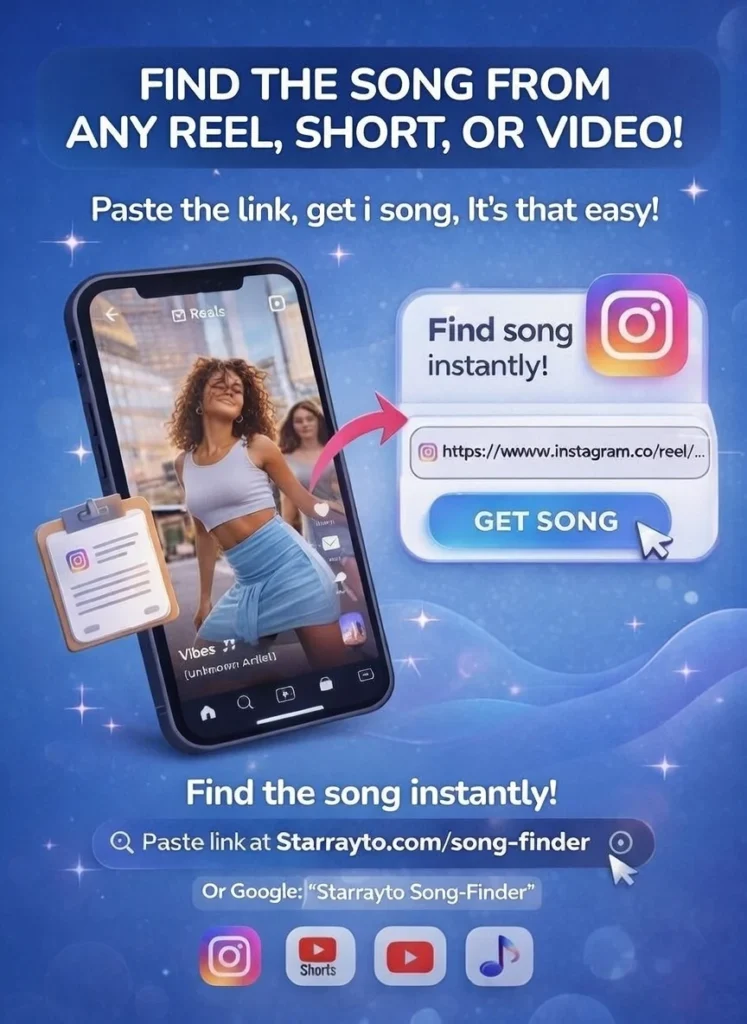
Find the song used in an Instagram Reel, YouTube Short, or video by simply pasting the link. Starrayto Song Finder analyzes the audio and identifies the song, artist, and available music links in seconds. No app, account, or complicated setup required.

Song Finder By Reel | Starrayto Song Finder | Song Finder Starrayto
Please Wait For The Starrayto Song Finder AI System To Load
ARCCloud
Powered by ACRCloud

How do I find a song from an Instagram Reel?

In Short Just Copy the Reel link, paste it into Starrayto Song Finder, click Find Song, and within seconds you’ll see the song title, artist, and listening links.
If you have ever heard a song in an Instagram Reel and thought, “What song is this?”, you are in the right place. Instead of searching through comments, captions, lyrics, or trying to remember a few words from the song, paste the Reel link into Starrayto Song Finder and let the music recognition system do the work.

How to Find the Song from Any Video Link

You can find a song from an Instagram Reel in just a few steps. You do not need to download the video or install a separate application.

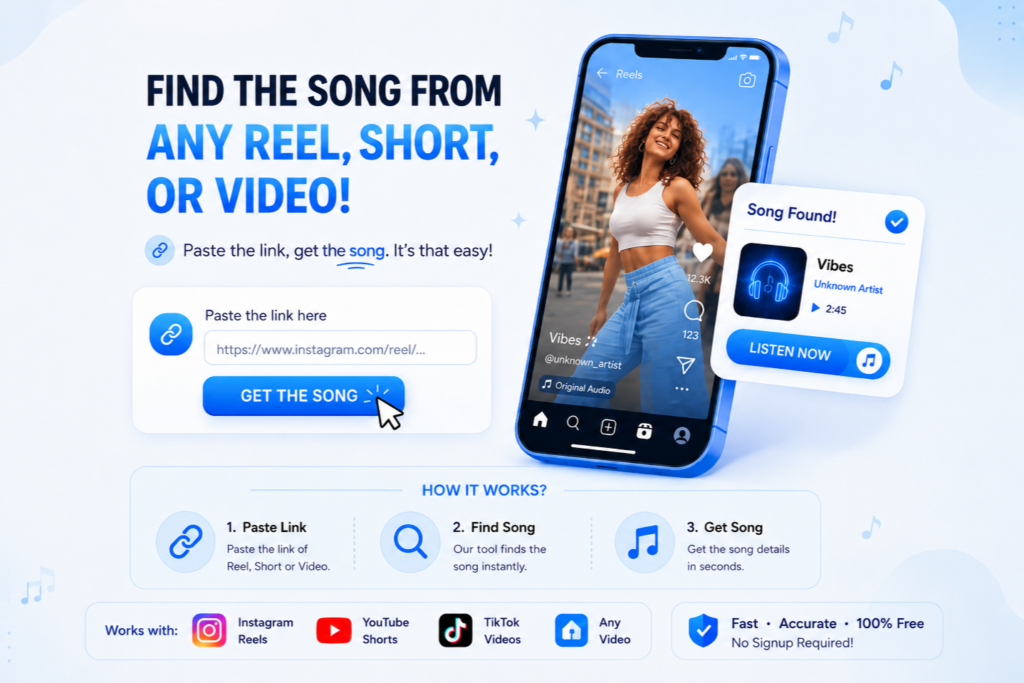
1. Copy the Instagram Reel Link

Open Instagram and find the Reel containing the song you want to identify. Tap the Share button, select Copy Link, and copy the Reel URL.

2. Paste the Link into Starrayto Song Finder

Paste the Instagram Reel link into the Song Finder above and start the search. Our system processes the available audio from the video and analyzes it for a possible music match.

3. Get the Song Name From the Reel

If a match is found, you can see the song title and artist along with available listening links. The entire process is designed to be quick and simple.
You don’t need to know the lyrics, artist, album, or even the genre of the song.

Find a Song from an Instagram Reel Without Shazam

Shazam is useful when you can play a song and let an app listen to it. But what if the song is inside an Instagram Reel that you already have as a link? That’s where a song finder by Reel link can be more convenient. With Starrayto Song Finder, you can start with the Reel URL instead of playing the audio through another device. Paste the link, submit it, and let the system analyze the music contained in the video. This makes it especially useful when you discover music while scrolling through Instagram and want to identify it later.

K+
Songs Identified
K+
Links AnalyzeD
%
Match Accuracy
%
FREE FOREVER
Song Finder | Starrayto

What is Song Finder?

Have you ever discovered an amazing song while scrolling through Instagram Reels or YouTube Shorts, but had no idea what it was called?

That frustrating search ends here.


Starrayto Song Finder is an AI-powered tool that helps you identify songs from short videos instantly. Just paste the Instagram Reel or YouTube Short link, and our system analyzes the audio to find the exact song for you.

No complicated apps. No guessing lyrics. No endless comment scrolling.
Simply paste the link, click Find Song, and get the song name, artist, and music links within 2 seconds.

Why Choose Starrayto Song Finder?

Starrayto Song Finder uses advanced acoustic fingerprinting technology powered by ACRCloud to identify music from Instagram Reels and video links. Its recognition technology is backed by a constantly updated database of more than 150 million tracks, including original recordings, user uploads, remixes, independent releases, and more.
We built Starrayto Song Finder to make music discovery free, fast, and simple. You don’t need to install another app, create an account, search through comments, or remember the lyrics. Just paste the video link, and we’ll analyze the available audio to find the song for you.
Simply give us the link. We’ll do the searching.

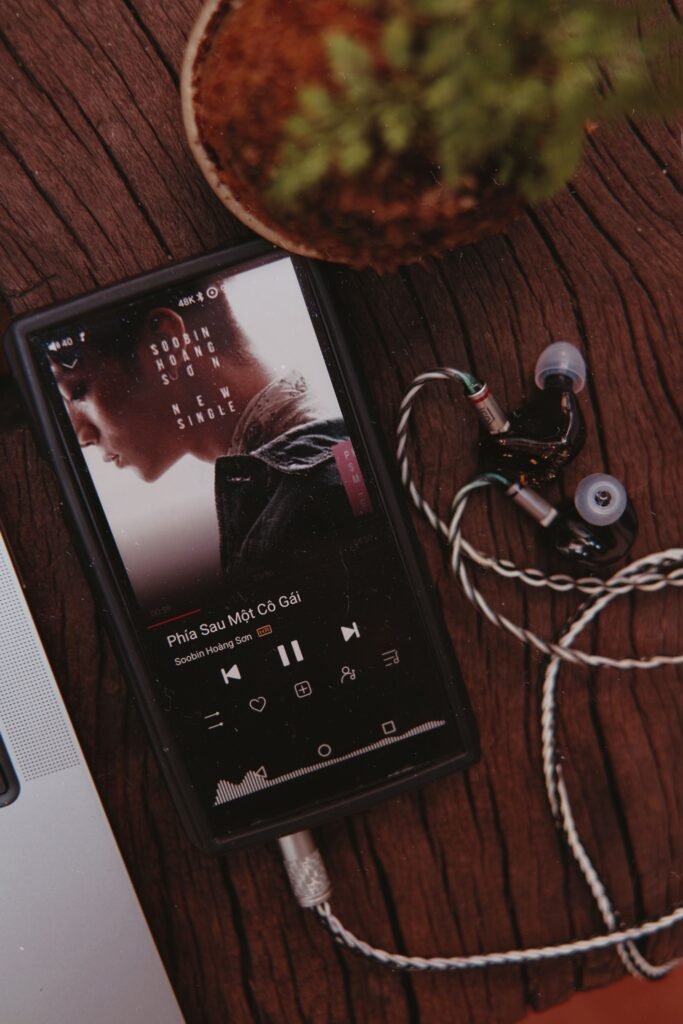
A smartphone with earphones playing a song on a wooden table next to a plant.

Perfect Accuracy:

Our advanced AI analyzes the audio directly from the video to deliver accurate song names and artist details in seconds.

Super Convenient:

No extra apps to download. No signups required.
Simply paste the Instagram Reel or YouTube Short link and get results instantly.

No Singing / Humming Required:

Unlike other apps, you don’t need to sing, hum, or guess lyrics.
Just paste the video link and our AI will identify the song for you.

Useful for Remixes and Edited Audio

Reels frequently contain sped-up versions, slowed versions, remixes, edits, and other variations of songs. When the audio contains enough recognizable information, music recognition can identify the underlying track.

Starrayto Song Finder VS Shazam

Both Starrayto Song Finder VS Shazam tools are designed to help identify music, but the way you use them can be different.
The biggest difference is the starting point. Starrayto Song Finder is built around finding music from video links, making it particularly useful when the song is already inside an Instagram Reel or YouTube Short.

FeatureStarrayto Song FinderShazam
Identify music from a Reel linkYesNot designed around Reel URLs
Start with a video URLYesNo
Instagram Reel focusedYesNo
YouTube ShortsYesNo
Browser basedYesYes
App requiredNoCommonly used through the app
Lyrics requiredNoNo
Useful for background musicYesYes
Music fingerprintingYesYes

What Can Starrayto Song Finder Identify?

A Reel can contain much more than a standard studio recording. The music may be edited, mixed with speech, or presented in a completely different way.

Our Song Finder can be useful for identifying:

  • Songs used in Instagram Reels
  • Background music in short videos
  • Trending Reel songs
  • YouTube Shorts music
  • Remixes
  • Sped-up songs
  • Slowed and reverb versions
  • Edited versions of songs
  • Instrumental music
  • Music playing underneath voiceovers
  • Music from promotional videos
  • Songs used in social media edits
  • Songs you don’t know the name or artist of

The result depends on the quality and recognizability of the audio. No music recognition service can identify every recording, especially when the audio is extremely short, heavily distorted, unreleased, or contains little recognizable music.

How Does Song Finder Identify a Song?

Starrayto Song Finder uses acoustic fingerprinting to analyze the audio associated with the submitted video.

Instead of relying only on lyrics, the system examines characteristics of the audio and creates a digital representation that can be compared with music in its recognition database.

When enough of the audio matches a known recording, the system can return information such as the song title and artist.

This is why you don’t have to know the lyrics or type the words into Google. The audio itself becomes the clue.

Why You Can’t Always Find a Reel Song by Searching the Lyrics

Sometimes you hear a song in a Reel but cannot understand the words clearly enough to search for them.

This becomes even harder when:

  • The vocalist is difficult to hear
  • The Reel contains dialogue
  • The song is instrumental
  • The creator uses a remix
  • The audio has been sped up
  • The song is slowed down
  • There is significant background noise
  • You only hear a few seconds of the track

In these situations, searching lyrics may not help.

A music recognition tool takes a different approach by analyzing the audio itself.

What If Instagram Shows “Original Audio”?

One of the most confusing situations is finding an Instagram Reel where the audio is labelled Original audio.

That label does not necessarily tell you the actual name of the song.

Creators may upload a video containing music themselves, combine music with speech, use an edited recording, or use a version that Instagram does not correctly associate with an official music track.

If the Reel contains recognizable music, you can copy the Reel link and try it with Starrayto Song Finder.

Find Songs from Instagram Reels with Voiceovers

A song doesn’t have to be playing on its own for Starrayto Song Finder to recognize it.

Instagram Reels often mix music with voiceovers, dialogue, sound effects, ambient noise, and other audio. These conditions can make song identification much harder, but Starrayto Song Finder is built to handle the kind of edited audio commonly found in short-form videos.

If the music is still clearly present beneath the voiceover or other sounds, paste the Reel link into Starrayto Song Finder and let our music recognition system analyze it.

This makes Starrayto particularly useful for Reels with background music, talking, narration, and other mixed audio where simply listening to the video may not be enough to identify the track.

Identify Remix, Sped-Up & Slowed Songs

Not every song used in a Reel is the original studio version.

Creators frequently use sped-up songs, slowed and reverb versions, pitch-shifted tracks, remixes, edits, mashups, and other modified versions of popular music.

This is one of the areas where Starrayto Song Finder is designed to be especially useful. Its music recognition technology can analyze the audio even when the version used in a Reel has been altered from the original recording.

Whether the song has been sped up for a fast-paced edit, slowed down for a cinematic Reel, remixed for a trend, or combined with other audio, simply paste the video link and let Starrayto try to identify it.

What Types of Edited Audio Can You Try?

  • Sped-up songs
  • Slowed and reverb songs
  • Pitch-shifted songs
  • Remixes
  • Mashups
  • Short edits
  • Background music
  • Instrumental versions
  • Songs mixed with voiceovers
  • Songs with sound effects
  • Music used in cinematic edits
  • Trending Reel audio

The more recognizable the underlying music remains, the better the chance of getting a match.

Why Can’t I Find the Song from My Reel?

Sometimes you know there is a song in a Reel, but the first search doesn’t return a result. This can happen for several reasons, and it doesn’t necessarily mean the song is impossible to identify.

The Song Is Heavily Edited

A track that has been dramatically sped up, slowed down, pitch-shifted, distorted, or combined with another song can be more difficult to recognize.

The Reel Contains Too Much Voice or Background Noise

If dialogue, narration, crowd noise, or sound effects cover most of the music, there may not be enough recognizable audio for a reliable match.

The Music Clip Is Very Short

A few seconds of music may not provide enough information for the recognition system to confidently identify the track.

It’s an Unreleased or Obscure Track

Independent releases, unreleased songs, custom edits, local recordings, and extremely obscure tracks may not be available in the music recognition database.

The Reel Uses Original Audio

Instagram may label a sound as “Original audio” when the creator uploaded the audio themselves rather than using an officially recognized music track.

Try Another Reel Using the Same Song

If possible, find another Reel that uses the same sound and submit that link. A longer or clearer section of the music can make identification easier.

How to Get the Best Song Recognition Results

Starrayto Song Finder is designed to handle difficult Reel audio, but the quality of the source still matters. A few simple choices can give the recognition system more useful audio to work with.

Use a Reel Where the Music Is Clearly Audible

If you have several Reels using the same song, choose one where the music is louder and less covered by speech or sound effects.

Try Reels with a Longer Music Section

A longer section of recognizable music generally gives the system more information to work with.

Don’t Worry If the Song Is Sped Up or Slowed Down

You don’t need to manually return the audio to its original speed before trying Starrayto. Submit the Reel as it is and let the recognition system attempt to identify the track.

Try Another Reel If the First One Doesn’t Match

Different creators may use different versions of the same song. One Reel might contain heavy editing or voiceover, while another may contain a much cleaner section of the track.

Let Starrayto Do the Hard Part

You don’t need to know the lyrics, artist, original song title, or exact version. Start with the Reel link and see what Starrayto can identify.y it before trying recognition.

Find Background Music from an Instagram Reel

One of the most common reasons people use a Reel song finder is background music.

You might see:

  • A travel Reel with cinematic music
  • A fashion video with a trending song
  • A motivational Reel with background music
  • A business video using a popular track
  • A cinematic edit
  • A workout video
  • A meme using a recognizable sound
  • A creator using an instrumental track

If you like the music but don’t know its name, you can copy the Reel link and submit it to Starrayto Song Finder.

Find a Song from Any Video

The same problem exists across social platforms: you hear music you like, but the video doesn’t clearly tell you what the track is. Rather than searching manually, you can use a video link as the starting point for music identification. Starrayto Song Finder is designed to make that process as simple as possible.

Is Starrayto Song Finder Free?

Yes. Starrayto Song Finder is available to use for free. You don’t need to purchase a subscription simply to try identifying a song from a Reel. There is also no requirement to install an app or create an account before using the tool.

Do I Need to Know the Lyrics?

No. You don’t need to know the lyrics, artist, song title, or even the language of the song. The purpose of a music recognition tool is to use the audio itself to help identify the recording.

Do I Need to Download the Instagram Reel?

No. When supported, you can start with the Reel URL rather than manually downloading the video first. Simply copy the Reel link and paste it into the Song Finder.

Is My Instagram Account Required?

No. You don’t need to log into Instagram through Starrayto Song Finder. You simply provide the video link and submit it for recognition.

What Information Do I Get When a Song Is Found?

When a match is available, Starrayto Song Finder can provide information about the identified music, including the song title and artist, along with available listening links. Like Youtube Video Link and Sportify Song Link.

This means you can go from “What song is this?” to actually finding and listening to the track without manually searching through the internet.

Frequently Asked Questions

How can I find a song from an Instagram Reel?

Copy the Instagram Reel link, paste it into Starrayto Song Finder, and start the search. The system analyzes the video’s audio and attempts to identify the song.

Can I find an Instagram Reel song using only the link?

Yes. The Reel URL can be used as the starting point for the song identification process, so you don’t have to manually download the video first.

What is the easiest way to find a song from a Reel?

For a public Reel, the easiest approach is usually to copy its link and submit it to a Reel song finder. This avoids having to remember lyrics or search through comments manually.

Can I find a song from an Instagram Reel without an app?

Yes. Starrayto Song Finder works through your browser, so you can try identifying the song without installing a separate app.

Can I find a song from a Reel without knowing the lyrics?

Yes. Music recognition works from the audio itself, so knowing the lyrics is not necessary.

Can Starrayto identify songs from YouTube Shorts?

Yes. You can try submitting a supported YouTube Short link to identify the music used in the video.

Can it identify a song from a remix?

It can identify some remixes and edited versions when enough recognizable information from the underlying recording remains. Highly modified or unofficial versions may be harder to match.

Can it identify sped-up songs?

Yes, sped-up songs can be submitted. However, extreme speed or pitch changes may make recognition more difficult.

Can it identify slowed and reverb songs?

You can try. Recognition depends on how heavily the original recording has been altered and how much recognizable audio remains.

Can it identify background music behind a voice?

It may be able to if enough of the music is audible. Heavy voiceovers or dialogue can interfere with recognition.

What happens if my song cannot be identified?

Try another Reel containing the same song, preferably one with a longer and clearer section of music. Some recordings may also be unavailable in the recognition database.

Why does Instagram say “Original Audio”?

Instagram may label audio as Original Audio when the creator has uploaded or created the audio rather than selecting an officially recognized music track. The label does not always reveal the underlying song.

Is this better than Shazam for Instagram Reels?

They solve slightly different problems. Shazam is excellent for recognizing music that your device can listen to, while Starrayto Song Finder is designed around submitting a video link. If you already have the Instagram Reel URL, a link-based song finder can be more convenient.

Does Starrayto Song Finder require an account?

No account is required to start using the Song Finder.

How long does it take to identify a song?

The recognition process is designed to return results quickly, although the actual time can vary depending on the video and processing required.

Can I use Song Finder on my phone?

Yes. Because the tool works through a web browser, you can use it from a compatible mobile browser without installing a dedicated application.

What Our Users Say

Hear from users who have successfully identified songs using Starrayto Song Finder By Reel.

4.9

“I saved a Reel days ago and forgot the music. Pasted the link here and got the song immediately.”

4.9

“Clean interface, quick results, and no downloads needed. This is the easiest song finder I’ve used.”

Video Editor

4.9

“I pasted an Instagram Reel link and got the song name in seconds. Super fast and very accurate.”

Song Lover

4.9

“I spent so long searching comments and lyrics for a Reel song. Pasted the link here and found it in seconds. Huge relief.”

Digital Marketer

4.9

“I tried multiple music finder apps with no luck. Dropped the Reel link here and got the exact song almost instantly.

User

4.9

“Works perfectly for Reels. Even remix songs were identified correctly. Perfect For Someone Looking To Identify Remix Songs ”

Social Media Manager

Song Finder Frequently Asked Questions (FAQ)

SONG FINDER TOOL

Find Any Song from Reels, Shorts & Videos in Seconds

Stop searching comments, captions, and lyrics. Simply paste the video link and instantly discover the song used in Instagram Reels, YouTube Shorts, and more.