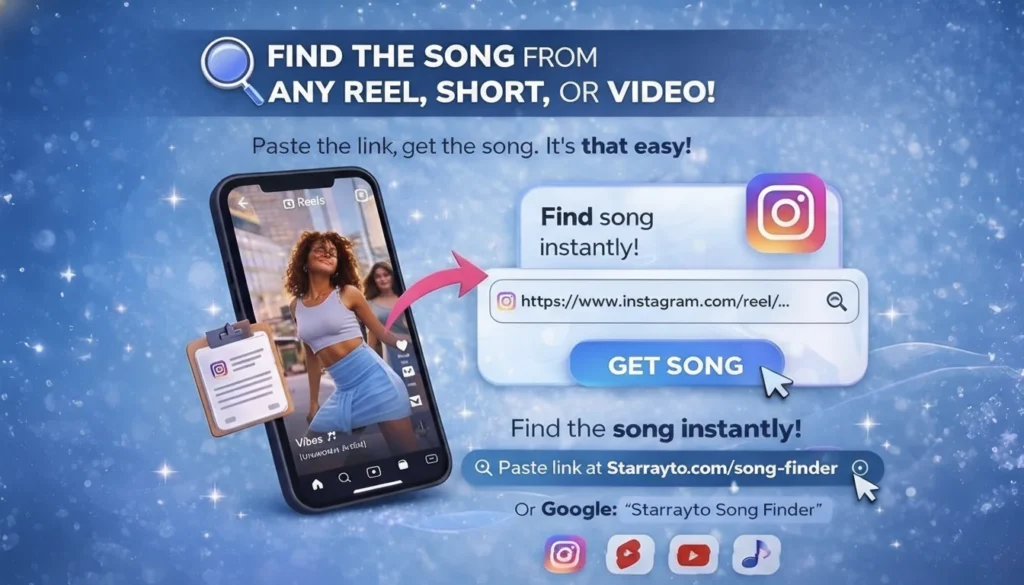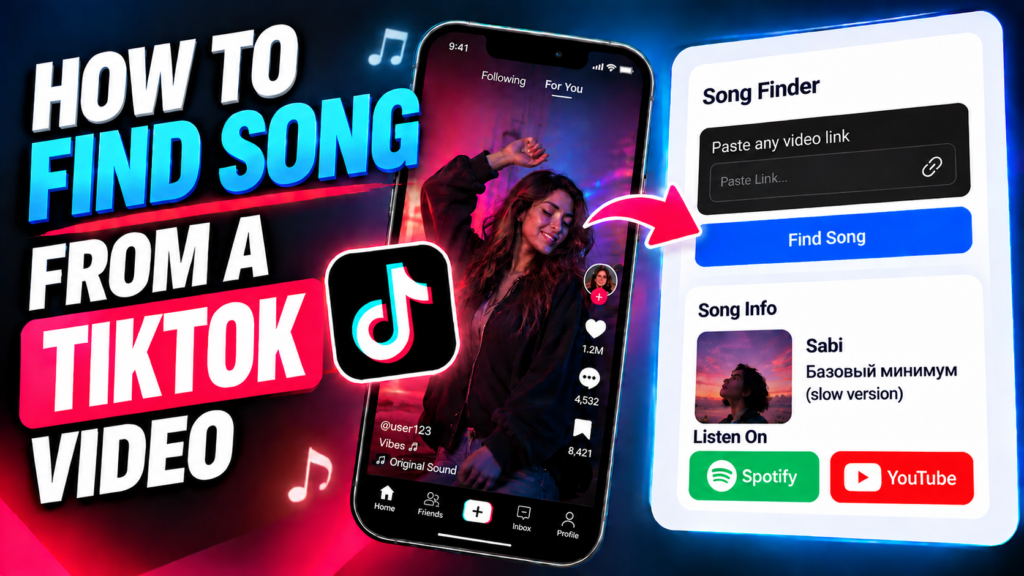
You can find a song from a TikTok video using its link by copying the video URL and pasting it into Starrayto Song Finder. The tool analyzes supported video links to identify the song and artist and provide available music links. You don’t need to know the lyrics, remember the song title, or search through hundreds of comments.
You’ve probably watched a TikTok video with a catchy background track, a remix, or a song you’ve never heard before. You might replay the video several times, check the comments, or search for a few lyrics, only to find nothing useful.
Instead of guessing, you can start with the video itself.
How to Find Song from TikTok Video Using a Link
The easiest way to identify TikTok song is to submit its link to an online song recognition tool.
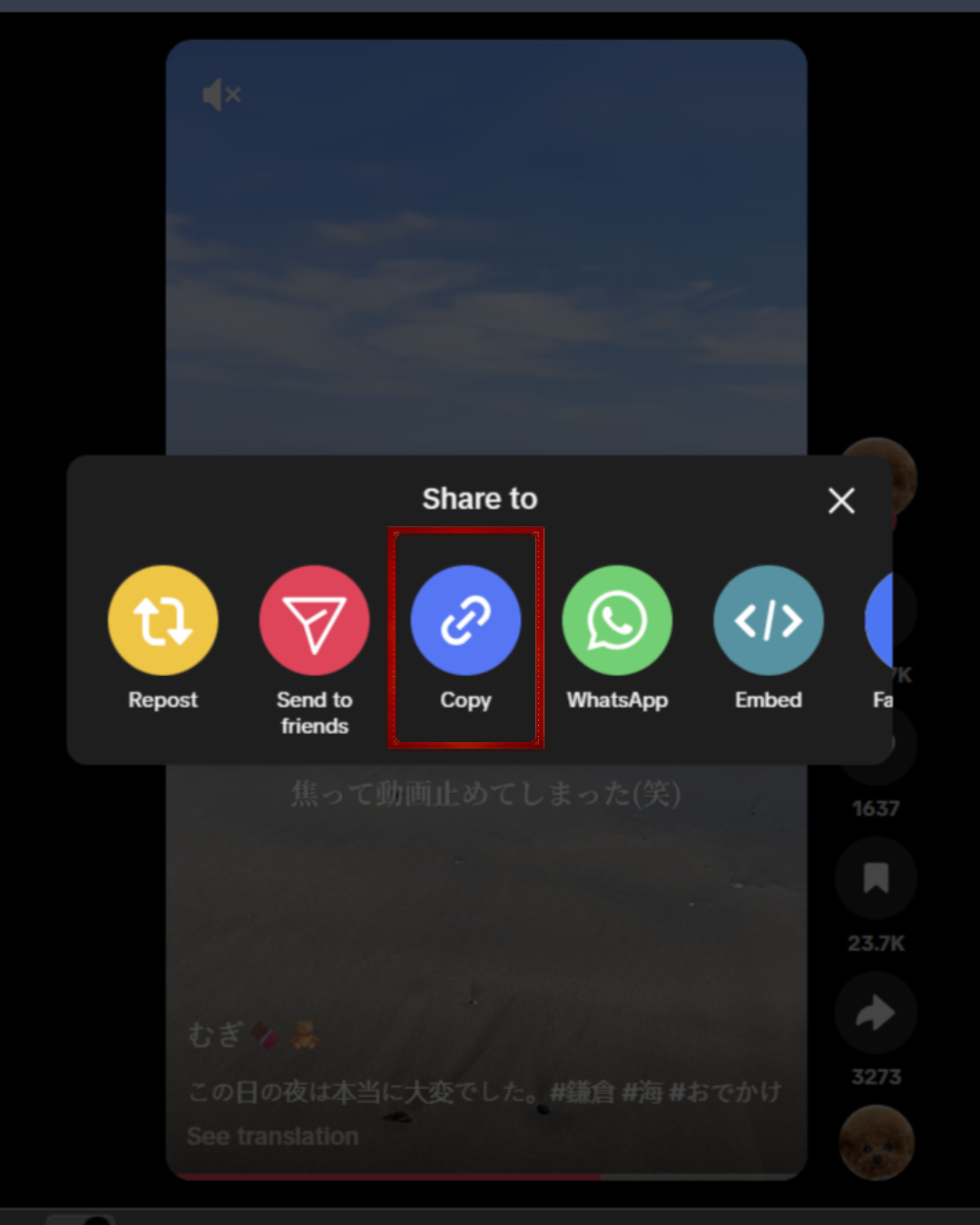
Step 1: Copy the TikTok Video Link
Open TikTok and find the video containing the song you want to identify.
• Open the video.
• Tap the Share button.
• Select Copy link from the available options.
If you’re using TikTok in a desktop browser, you can usually copy the video URL directly from the address bar.
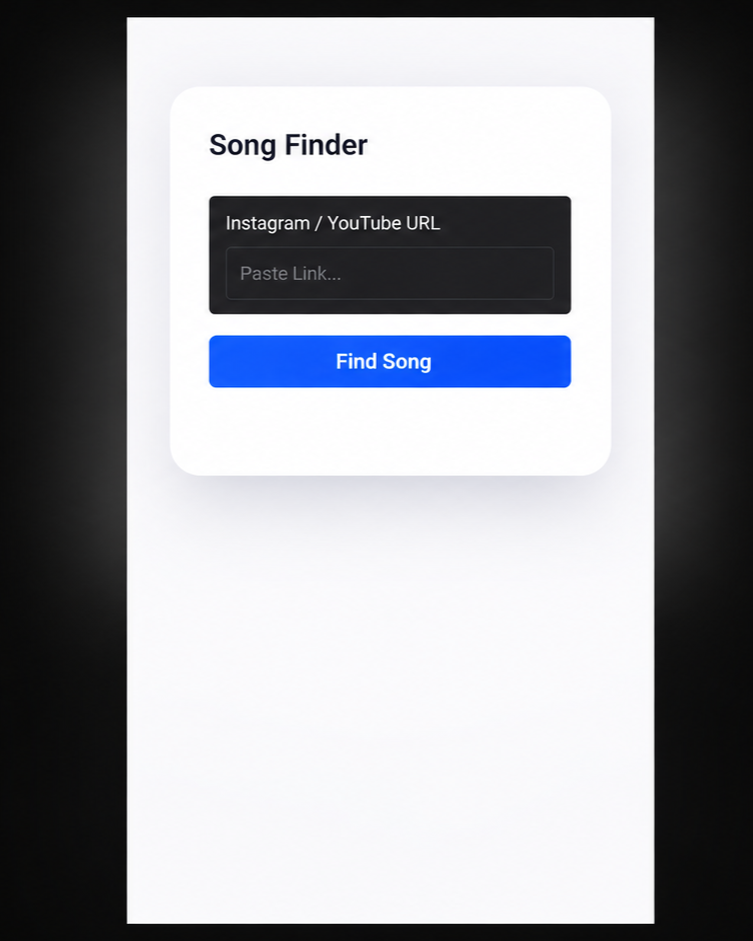
Step 2: Paste the Link into Starrayto Song Finder
Visit Starrayto Song Finder and paste the copied TikTok URL into the input field.
Start the identification process and allow the tool to process the supported video. You don’t need to type the lyrics or guess the artist.
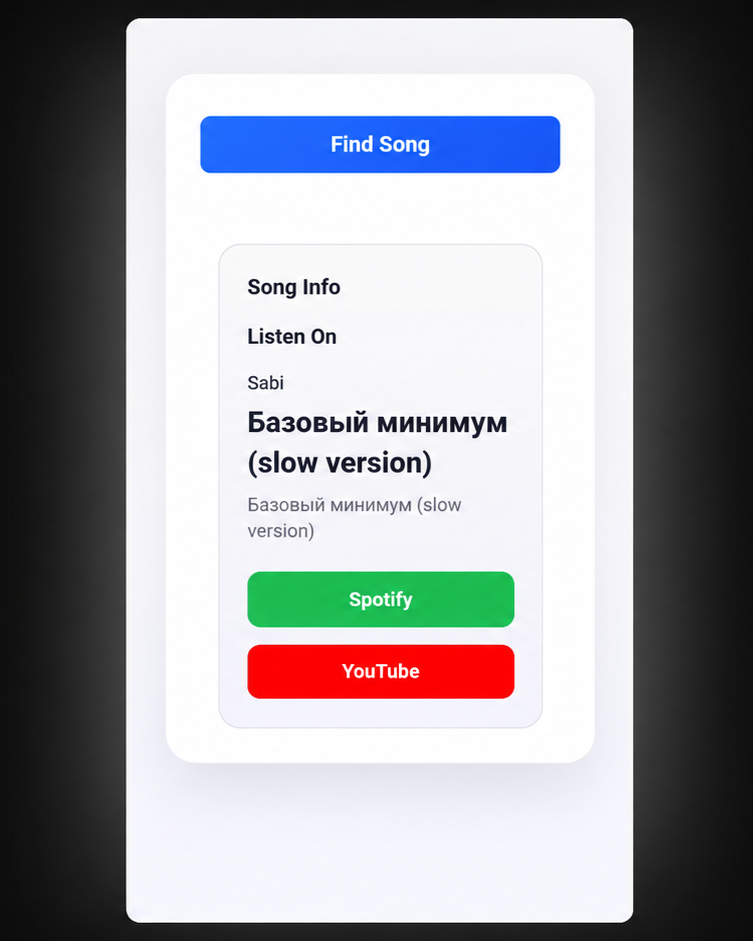
Step 3: Discover the Song and Get Its Music Links
Starrayto Song Finder identifies the song from your Instagram Reel and provides the song title, artist, and available music links.
Ready to find your song?
Try Starrayto Song Finder and discover the music behind your Reel.
Why Is It Difficult to Find a Song on TikTok?
TikTok videos often use music in ways that make manual identification difficult. A video may feature only a few seconds of a track, mix music with dialogue, or use an edited version of a popular song.
Here are some common reasons you might not immediately recognize the music.
The Video Uses Original Sound
TikTok may label audio as “Original sound” rather than displaying the original song title and artist. This can happen when a creator uploads audio, edits a recording, or combines several sounds.
The label alone may not tell you which commercially released song is playing. Audio recognition may help when the underlying recording is recognizable.
The Song Is a Remix or an Edited Version
Creators frequently use sped-up tracks, slowed-down music, remixes, mashups, and reverb edits. These versions can sound noticeably different from the original recording.
A song finder may identify the original track even when the exact edit has a different tempo or arrangement. However, heavily modified audio may be harder to match.
Someone Is Talking Over the Music
Voiceovers, dialogue, sound effects, and background noise can cover important parts of a song. This is particularly common in tutorials, comedy videos, and storytime clips.
If the music is difficult to hear, try identifying it from another TikTok that uses a clearer section of the same track.
The Song Appears for Only a Few Seconds
Some videos use a short musical hook rather than a full chorus or verse. A brief clip may not contain enough distinctive audio for a reliable match.
When possible, find a video with a longer, clearer section of the song.
Other Ways to Identify a Song from TikTok
A video-link song finder is useful when you want to start with the TikTok URL. Depending on the video and the information available, other methods may also help.
1. Check the Sound Name in TikTok
Open the TikTok video and look for the sound label near the bottom of the screen. Tap it to open the associated sound page.
The page may display the track title, artist, original sound creator, or other videos using the same audio. If the sound is credited correctly, this may be the quickest way to find the song.
If the label only shows an account name or “Original sound,” you may need another method.
2. Use Shazam While the Song Plays
Shazam can recognize many commercially released songs by listening to the audio playing nearby or through a supported device workflow.
Play the TikTok video and activate Shazam on a suitable device. For better results, use a clear section where the music is louder than speech or other sounds.
This method can be convenient when you’re already watching the video, but it requires the recognition app to hear the audio. If you already have the video link and prefer to start with that, try Starrayto Song Finder.
3. Search for Lyrics You Can Hear
If the video contains clear lyrics, write down a distinctive line and search for it in quotation marks alongside words such as “song” or “lyrics.”
Avoid relying on a single common phrase. Lyrics can be misheard, and some tracks contain very few words.
This method is less useful for instrumental tracks, heavily edited audio, or songs in languages you don’t understand.
4. Check the Comments and Caption
Creators and viewers sometimes mention the song title or artist in the comments. The caption may also credit the music or name the remix.
This is worth checking, but it isn’t always reliable. A comment may refer to a different track, and popular videos can have thousands of comments to search through.
5. Try a Different Version of the Same Sound
If the original TikTok doesn’t produce a match, search TikTok for another video using the same sound. Look for a version where the music is clearer and less interrupted.
You can then copy that video’s link and try the identification process again.
Can You Find a Song from a TikTok Link Without Knowing the Lyrics?
Yes. You don’t need to know the lyrics to try identifying a song from a TikTok link.
A song recognition tool analyzes audio rather than relying entirely on words typed into a search engine. This can be helpful when the music is instrumental, the lyrics are unclear, or you only remember how the song sounds.
The result still depends on whether the audio can be accessed and matched. An unreleased track, a custom sound, or a heavily edited recording may not return a recognizable result.
Can You Identify a Song from TikTok Original Sound?
Sometimes. An “Original sound” label does not necessarily mean that the audio contains no existing music. A creator may upload a clip that includes a released song, a remix, a sample, or a combination of music and speech.
To investigate it:
- Open the sound page and check its available details.
- Look at the caption and comments for possible credits.
- Copy the video link and try Starrayto Song Finder.
- Compare any identified track with the actual audio to confirm whether it is the same recording or a different version.
If the audio is a completely original recording or an unreleased track, a song recognition tool may not be able to identify it as a commercially released song.
Can a Song Finder Identify TikTok Remixes and Sped-Up Songs?
It may. Recognition depends on how much of the original recording remains audible and how closely the edited version matches audio in the recognition database.
Common examples include:
- Sped-up and slowed-down songs
- Slowed and reverb edits
- Remixes of popular tracks
- Instrumental versions
- Background music mixed with voiceovers
- Short music clips used in trends
A match may identify the original song rather than the exact remix. If the result sounds close but not identical, compare the artist, recording version, lyrics, and arrangement before assuming it is the precise edit used in the video.
What to Do If a TikTok Song Finder Cannot Identify the Song
If you don’t get a match, it doesn’t necessarily mean the song cannot be identified. The video may be unavailable to the tool, or its audio may be too short or unclear.
Try these steps:
1. Check the video link. Make sure you copied the link to the actual TikTok video rather than a profile or unrelated page.
2. Try another video. Look for another TikTok using the same track with less speech and clearer music.
3. Check the sound page. TikTok’s sound details may provide a title, creator name, or useful clue.
4. Listen for recognizable lyrics. Search a distinctive lyric if the vocals are clear enough to understand.
5. Consider whether the audio is original. A custom recording, unreleased song, or sound effect may not have a match in a music recognition database.
6. Try another recognition method. If a video link doesn’t work, a suitable audio recognition app may be worth trying while the song plays.
The best next step depends on what is preventing identification: inaccessible video content, unclear audio, or a recording that isn’t represented in the available music database.
Why Use Starrayto Song Finder?
Starrayto Song Finder is designed to help people identify music from supported video links without having to search manually for lyrics or guess the track name.
- Start with a video link: Submit a supported link rather than trying to describe the music.
- No lyrics required: Recognition can work without knowing the song title, artist, or words.
- Song and artist details: When a match is found, the tool can return identifying information.
- Available music links: Open supported listening links when they are provided with the result.
- Browser-based access: Use the tool through a compatible web browser without needing to install a dedicated song identification app.
The tool’s results depend on video accessibility, audio quality, and whether a matching recording is available. Not every TikTok sound can be identified.
Have a TikTok video open right now?
Open Starrayto Song Finder and try identifying the music from its link.
Frequently Asked Questions
1. How do I find a song from a TikTok video using a link?
Copy the TikTok video link using the Share option, open Starrayto Song Finder, paste the URL, and start recognition. If a match is found, the tool can show the song title, artist, and available music links.
2. Can I find a TikTok song without downloading the video?
You can try submitting the video URL directly to a compatible link-based song finder. Whether it works depends on the tool’s supported links and whether the video can be accessed.
3. Can I identify a TikTok song without knowing the lyrics?
Yes. Audio recognition can identify a song without a lyric search when enough recognizable audio is available and a match exists in the recognition database.
4. Why does TikTok show “Original sound” instead of a song name?
The sound may have been uploaded by a creator or may contain edited, combined, or custom audio. The label identifies the sound associated with the post, but it doesn’t always identify the original song or recording.
5. Can I find a song from a TikTok remix?
Sometimes. A recognition tool may match a remix to its original track if enough recognizable audio remains. It may not identify the exact remix or edit.
6. Can I find a song from a private TikTok video?
Not necessarily. A private, deleted, restricted, or otherwise inaccessible video may not be available for link-based processing. If you have permission to use the audio, try a supported alternative source with clearer audio.
7. Is Shazam or a link-based song finder better for TikTok?
It depends on how you’re trying to identify the music. Shazam is useful when a device can listen to the song as it plays. A link-based finder is convenient when you already have the video URL and want to start from that link.
8. What if the song finder gives the wrong result?
Compare the identified song with the TikTok audio. Check the artist, vocals, melody, and recording version. If the result doesn’t match, try a clearer video or another recognition method.
9. Can I find background music from a TikTok video?
Yes, potentially. Background music can be identified when it is audible enough to match a known recording. Loud dialogue, sound effects, and short clips can make recognition more difficult.
10. Is Starrayto Song Finder free to use?
Starrayto Song Finder is offered as a free online tool. Visit the tool page to use the current version and check the available features.
Final Thoughts
Finding a song from a TikTok video doesn’t have to mean replaying the clip, searching every comment, or guessing the lyrics. Start by checking TikTok’s sound information. If that doesn’t reveal the track, try a link-based recognition tool, search distinctive lyrics, or use an audio recognition app.
If you already have the video URL, try Starrayto Song Finder to identify the song and artist and access available music links when a match is found.
The key is to start with the method that fits your situation—and use a clearer version of the audio if the first attempt doesn’t work.