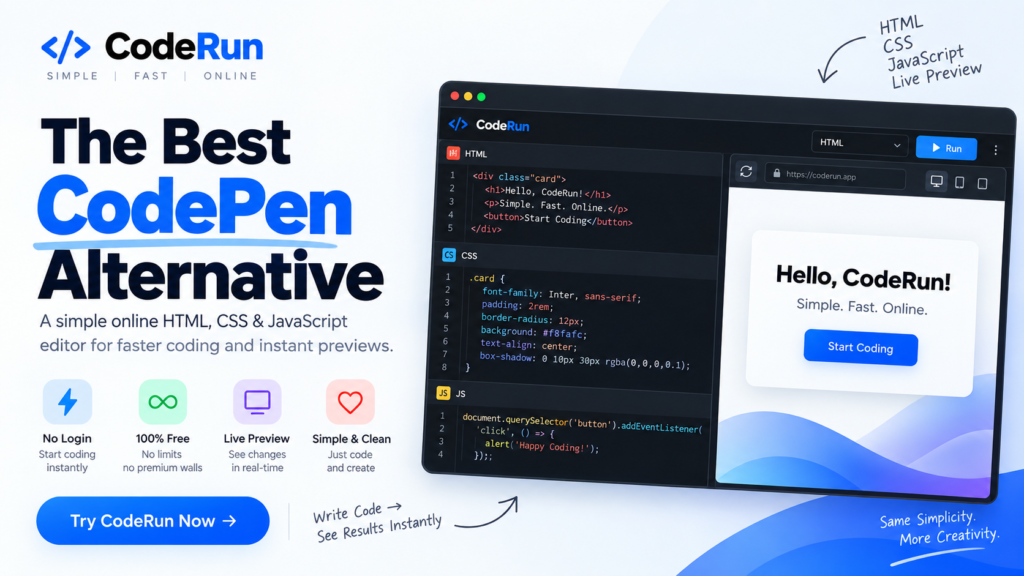
CodePen Alternative: A Simple Online HTML, CSS & JavaScript Editor
Looking for a CodePen alternative that keeps things simple? CodeRun is a simple online code editor built for developers, students, designers, and anyone who wants to write HTML, CSS, and JavaScript and see the result instantly.
If you have used CodePen before, you already know how useful an online coding playground can be. You can write code directly in your browser, preview your work, experiment with different ideas, and quickly test a website without setting up a complete development environment.
But sometimes, you don’t need dozens of features, complicated interfaces, or a full browser-based IDE. You simply want to write HTML, CSS, and JavaScript, see the result, and keep coding.
That’s exactly what CodeRun is designed for.
What Is CodeRun?
CodeRun is an online HTML, CSS, and JavaScript editor that lets you write code directly in your browser and see a live preview of your work.
Instead of installing software or creating a complete project on your computer, you can open CodeRun, write your HTML, CSS, and JavaScript, and immediately see how your code works.
The idea is simple:
Write code → See the result → Make changes → Repeat.
CodeRun focuses on the core experience of online coding without making the interface unnecessarily complicated.
Whether you are testing a small HTML component, experimenting with CSS, learning JavaScript, creating a website concept, or simply trying out an idea, CodeRun gives you a quick place to do it.
Why Are People Looking for a CodePen Alternative?
CodePen has been one of the most popular online coding playgrounds for years. It has helped developers create, test, share, and showcase front-end projects directly from their browsers.
However, not every developer needs every feature an advanced platform provides.
Sometimes, you just want a clean editor where you can write HTML, CSS, and JavaScript and immediately see the output.
As online development platforms continue to add more features, interfaces can become more advanced and sometimes more difficult for users who prefer a straightforward workflow.
This creates a simple question:
What is the best CodePen alternative for someone who wants a focused and easy-to-use online HTML, CSS, and JavaScript editor?
For users who prefer simplicity, CodeRun is built around that exact idea.
CodeRun: A CodePen Alternative Built Around Simplicity
CodeRun is not trying to become an enormous development platform with hundreds of features.
Instead, it focuses on one important experience: making it easy to write front-end code and see what it looks like.
You get the essential tools you need for front-end experimentation:
- HTML editor
- CSS editor
- JavaScript editor
- Live preview
- Simple coding interface
- Browser-based editing
- No complicated setup
The goal is to remove unnecessary distractions between you and your code.
If you want to test a button design, experiment with an animation, build a landing page section, practice JavaScript, or preview an HTML/CSS idea, you can simply start coding.
CodeRun vs CodePen
Both CodeRun and CodePen provide an online environment for writing front-end code and previewing the result. The biggest difference is the experience each platform is designed to provide.
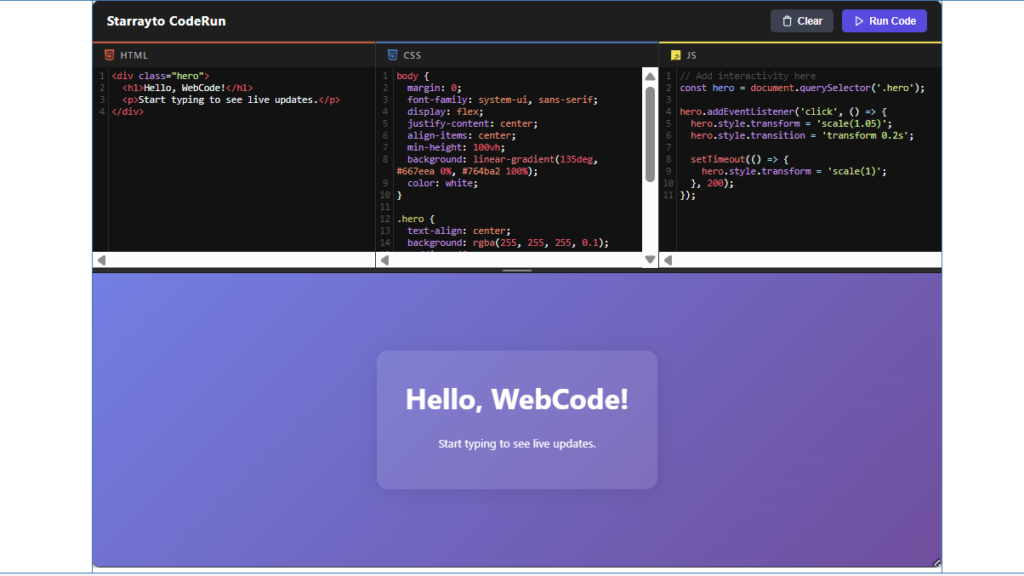
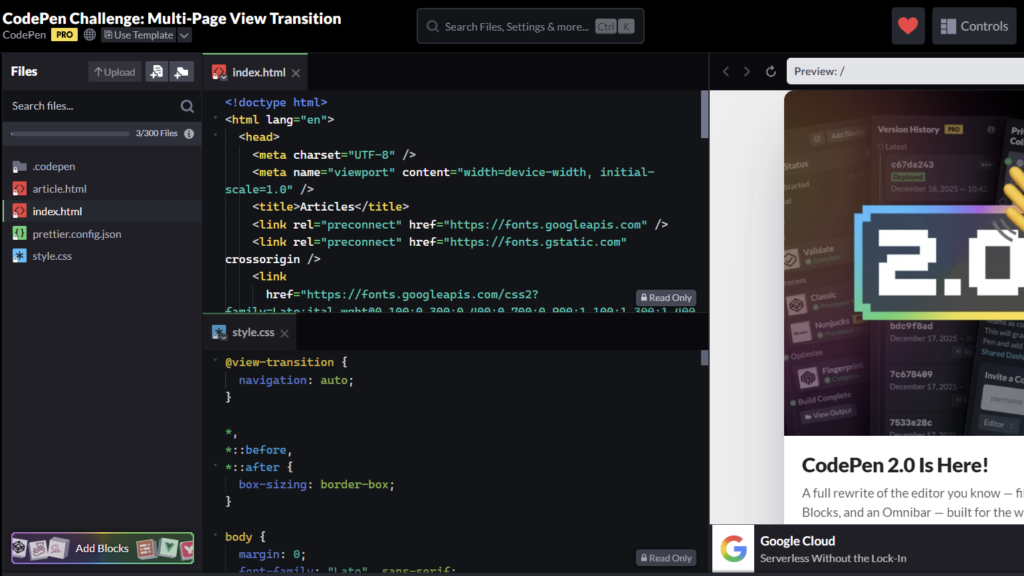
| Feature | CodeRun | CodePen |
|---|---|---|
| HTML Editor | Yes | Yes |
| CSS Editor | Yes | Yes |
| JavaScript Editor | Yes | Yes |
| Live Preview | Yes | Yes |
| Browser-Based | Yes | Yes |
| Simple Interface | Yes | Yes |
| Focused on Quick Coding | Yes | Yes |
| Advanced Platform Features | No | Yes |
| Best For | Simple coding and previews | Coding, sharing and broader workflows |
CodePen is a powerful platform with a wide range of capabilities. CodeRun takes a different approach by concentrating on the basic coding experience.
If you want a powerful ecosystem with extensive features, CodePen may be the better choice.
If you want a straightforward place to write HTML, CSS, and JavaScript and see your results, CodeRun is worth trying.
CodePen Alternative for HTML, CSS and JavaScript
One of the biggest reasons developers use CodePen and similar platforms is the ability to work with HTML, CSS, and JavaScript in one place.
CodeRun follows the same basic concept.
You can write your HTML structure, style it using CSS, add functionality using JavaScript, and view the result without leaving the browser.
This makes CodeRun useful for everything from small experiments to complete front-end sections.
HTML Editor
HTML provides the structure of your webpage.
You can use CodeRun to quickly create HTML elements, test layouts, build components, and see how your markup behaves in the live preview.
CSS Editor
CSS controls how your webpage looks.
Experiment with colors, spacing, typography, layouts, buttons, animations, cards, navigation menus, and other visual elements directly inside the editor.
JavaScript Editor
JavaScript allows you to add interaction and functionality.
You can test simple scripts, buttons, interactions, events, animations, and other front-end functionality without setting up a complete project locally.
Live Preview
The most important part of an online code editor is being able to see what your code produces.
CodeRun lets you work with your code and preview the result as you develop.
This makes the process much faster because you don’t have to repeatedly save files, open them separately, refresh another application, and switch between multiple windows.
Why Use an Online Code Editor?
An online code editor is useful because it removes much of the setup normally required before you can start experimenting with code.
You don’t necessarily need to install a code editor, create folders, configure a project, or set up a local development environment just to test a small piece of HTML, CSS, or JavaScript.
An online editor can be useful for:
- Testing website ideas
- Learning HTML and CSS
- Practicing JavaScript
- Creating website components
- Testing CSS animations
- Experimenting with layouts
- Building prototypes
- Testing small code snippets
- Demonstrating front-end concepts
- Quickly previewing code
For small experiments, getting from an idea to a working result as quickly as possible can be more important than having a large collection of advanced features.
CodeRun vs Other CodePen Alternatives
There are many CodePen alternatives available today, and each one focuses on a slightly different type of user.
Some platforms are designed for collaborative development. Others focus on complete development environments, education, project management, deployment, or advanced application development.
Popular alternatives include platforms such as JSFiddle, JS Bin, CodeSandbox, StackBlitz, PlayCode, and other browser-based development environments.
These platforms can be excellent choices depending on what you need.
But if your primary requirement is simple front-end coding with HTML, CSS, JavaScript, and live preview, you may not need a full development environment.
That’s where CodeRun takes a different approach.
Instead of asking you to learn a complicated interface, CodeRun keeps the experience focused on writing code and seeing the result.
CodePen Alternative for Beginners
If you are learning HTML, CSS, or JavaScript, an online code editor can make learning much more practical.
Instead of only reading tutorials and looking at examples, you can write the code yourself and immediately see what happens.
For example, you could start with a simple HTML heading, add CSS to change its appearance, and then use JavaScript to make the page interactive.
This creates a simple learning cycle:
Learn → Write → Preview → Experiment → Improve.
CodeRun is designed to make that process straightforward.
Beginners can experiment with small pieces of code without worrying about setting up a complete development environment.
CodePen Alternative for Quick Experiments
Not every coding task needs a full project.
Sometimes you simply want to answer a question:
“Will this CSS work?”
“How will this animation look?”
“Can I create this layout with CSS?”
“Why isn’t this JavaScript working?”
“What does this HTML component look like?”
For these situations, an online code editor can save time.
Instead of creating a new project just to test one idea, you can open CodeRun, write your code, and see the result.
This makes it particularly useful for developers and designers who frequently experiment with front-end ideas.
What Makes CodeRun Different?
The biggest difference is not about having more features.
It is about keeping the experience simple.
CodeRun was created with a straightforward idea: an online code editor shouldn’t feel complicated when all you want to do is write code and preview it.
You shouldn’t have to navigate through unnecessary settings just to test a simple HTML, CSS, or JavaScript idea.
You should be able to open the editor and start coding.
That’s the experience CodeRun is aiming to provide.
Simple Interface
CodeRun focuses on the essential parts of front-end development without overwhelming you with unnecessary options.
Fast Experimentation
Write your code, make a change, and immediately see the result.
HTML, CSS and JavaScript in One Place
Keep your front-end code together so you can quickly test how different parts work together.
No Complicated Setup
Because CodeRun works online, you can start experimenting without setting up a complete local project.
Is CodeRun the Best CodePen Alternative?
There isn’t one CodePen alternative that is perfect for everyone.
The best platform depends on what you are trying to accomplish.
If you need advanced collaboration, deployment, large application environments, or extensive development features, you may want to explore platforms built specifically for those purposes.
But if you are searching for a CodePen alternative because you want something simple, focused, and easy to use for HTML, CSS, and JavaScript, CodeRun is built for that purpose.
It gives you the core experience without trying to turn a simple coding task into a complicated workflow.
Who Should Use CodeRun?
CodeRun can be useful for a wide range of users.
Web Developers
Developers can quickly test front-end ideas, snippets, layouts, animations, and components without creating a full project.
Web Designers
Designers can experiment with HTML and CSS to turn visual concepts into working website components.
Students
Students learning web development can practice HTML, CSS, and JavaScript directly in the browser.
Beginners
People who are just starting with web development can experiment with code without worrying about complicated software or development setups.
Freelancers
Freelancers can quickly test website sections, client ideas, UI components, and front-end concepts.
Digital Marketers
Digital marketers can use an online code editor to test website elements, landing page sections, custom HTML, CSS changes, and small scripts.
When Should You Use CodeRun?
CodeRun is especially useful when you want to move quickly.
Use it when you need to:
- Test an HTML structure
- Try a CSS design
- Experiment with JavaScript
- Build a quick prototype
- Test a website component
- Preview a design
- Practice coding
- Experiment with animations
- Create a small front-end project
- Test an idea before building it into a larger website
The goal is simple: spend less time setting things up and more time experimenting with your code.
CodeRun: A Simpler Way to Code Online
Modern development platforms can be extremely powerful, but more features don’t always mean a better experience for every user.
Sometimes simplicity wins.
CodeRun focuses on the fundamental experience that makes online coding playgrounds useful in the first place: write HTML, CSS, and JavaScript, run your code, and see the result.
There is no need to make a simple coding experiment feel like a large software development project.
If that’s the kind of experience you’re looking for, CodeRun is a CodePen alternative worth trying.
Frequently Asked Questions About CodePen Alternatives
What is the best CodePen alternative?
The best CodePen alternative depends on your requirements. JSFiddle, JS Bin, CodeSandbox, StackBlitz, PlayCode, and other online editors offer different features. If you want a simple HTML, CSS, and JavaScript editor with live preview, CodeRun is a strong option.
Is there a free CodePen alternative?
Yes. Several online coding platforms offer free options. CodeRun is designed as a simple online editor for writing and testing HTML, CSS, and JavaScript without requiring a complicated setup.
What is the best CodePen alternative for HTML and CSS?
If your main goal is to write HTML and CSS and immediately see the result, CodeRun provides a focused environment for doing exactly that.
Is CodeRun an online code editor?
Yes. CodeRun is an online code editor that allows you to work with HTML, CSS, and JavaScript directly in your browser and preview your work.
Can I use CodeRun to learn HTML and CSS?
Yes. CodeRun can be used for practicing HTML and CSS because you can write code and immediately see how your changes affect the result.
Can I use CodeRun for JavaScript?
Yes. CodeRun includes a JavaScript editor, allowing you to experiment with JavaScript alongside HTML and CSS.
Do I need to install software to use CodeRun?
No. CodeRun is browser-based, so you can use the online editor without installing a traditional desktop code editor for your experiments.
Is CodeRun similar to CodePen?
Yes. CodeRun follows the core concept of CodePen by providing an online environment where you can write HTML, CSS, and JavaScript and preview the result. CodeRun focuses particularly on keeping that experience simple and straightforward.
Why would I use CodeRun instead of CodePen?
If you prefer a simpler coding experience and mainly need HTML, CSS, JavaScript, and live preview, CodeRun can be a convenient alternative. CodePen offers a broader set of features, while CodeRun focuses on the core online coding experience.
Try CodeRun Today
You don’t need a complicated development environment to test a simple idea.
If all you want to do is write HTML, CSS, and JavaScript and see what happens, CodeRun gives you a simple place to start.
Open CodeRun, write your code, preview the result, and start experimenting.
Write Code → See Results → Build Something Great.
Try CodeRun today and experience a simpler CodePen alternative.