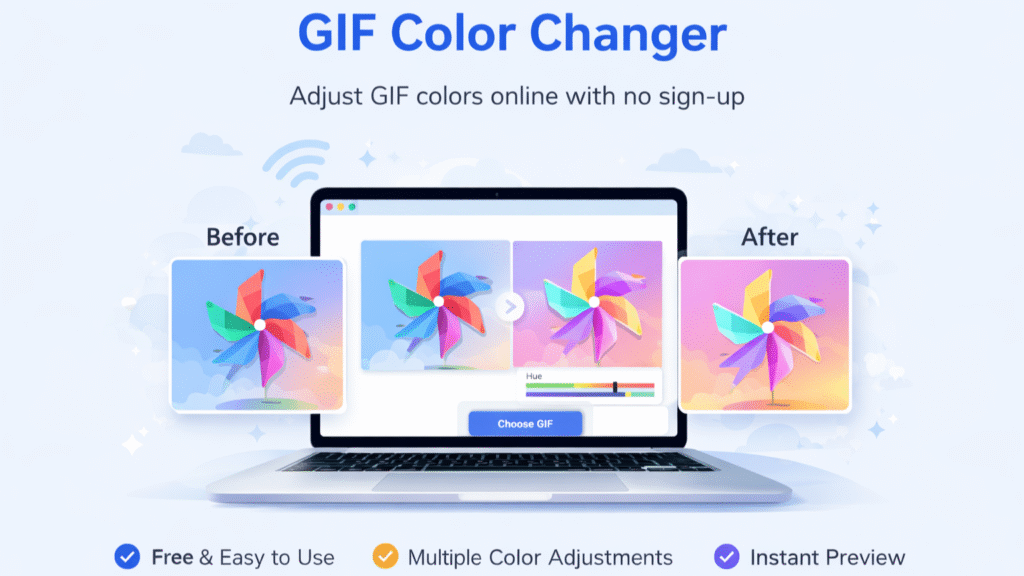
Unlike basic GIF enhancers that only apply filters or invert colors, our tool lets you actually change the colors inside a GIF while keeping the animation intact.
Interactive GIF Color Replacer
GIF Color Replacer
Upload a GIF, click a color to replace it, and generate a new GIF.
1. Click on the image to select a color
Hovering:
Target Color:
None
2. Choose replacement and apply
15
Increase tolerance if the color has shading. Turn off “Preserve shading” for solid replacement.
Upload the GIF you want to edit. The tool supports standard GIF files and works instantly without any sign-up and is 100% Free and unlimited.
Select & Change Colors
Choose the colors you want to replace and apply your desired new colors. Our tool modifies the actual colors inside the GIF not just filters or effects.
Download Your Edited GIF
Once the color changes are applied, download your updated GIF instantly and use it anywhere.
Why Use a GIF Color Changer Online?
A GIF Color Changer helps you customize existing GIFs to better match your needs whether it’s for branding, creativity, or making content stand out. Instead of using the same generic GIFs, you can personalize them in seconds.
Make GIFs Match Your Style
Change colors in a GIF to match your brand, theme, or personal preference for a more consistent look.
Stand Out on Social Media
Customized GIFs grab more attention than generic ones, helping your content look unique and engaging.
Reuse Existing GIFs Creatively
Instead of searching for new GIFs, simply edit the colors of existing ones to create something fresh.
Unlike basic tools that only apply filters or invert colors, a true GIF Color Changer lets you modify actual colors inside a GIF while preserving the animation. This gives you full control over how your GIF looks and feels. and the most easy and simple to use gif enhancer no large menus and complex options just select the color and change the color of the gif.
True Color Replacement
Actually change specific colors inside a GIF not just apply filters like invert or brightness.
Preserves Smooth Animation
Edit colors without affecting frames, timing, or the overall animation quality.
100% Free, No Sign-Up & Unlimited
Use the tool instantly with no login, no limits, and fast processing every time.
%
Free to Use
K+
Images Converted
K+
Happy Users
Wait Time
GIF Color Changer Frequently Asked Questions (FAQ)
What is a GIF Color Changer?
A GIF Color Changer is a tool that lets you modify or replace colors inside a GIF instead of applying simple filters. It helps you customize GIFs for branding, design, or creative use.
Is this GIF Color Changer free to use?
Yes, this is a free GIF Color Changer with no sign-up required. You can edit and download GIFs without any limits.
How is this different from a GIF color inverter?
A GIF color inverter only flips colors (like black to white). This tool goes further by allowing actual color replacement, giving you more control over the final result.
Can I change the background color of a GIF?
Yes, you can use this tool for GIF background color change by selecting and replacing specific background colors in your GIF.
Is this tool easy to use for beginners?
Yes, this is one of the most simple and easy-to-use GIF enhancers available. There are no complex menus or confusing settings — just select the color and change it instantly.
Does this tool use AI for color editing?
Yes, our AI GIF Color Changer helps process and modify colors efficiently while preserving the animation quality.
Can I use this GIF Color Changer online without downloading software?
Absolutely. This is an online GIF Color Changer that works directly in your browser, no installation needed.
Is there any limit on usage?
No, you can use this tool as an unlimited GIF Color Changer free tool with no restrictions.
Will the animation quality be affected after changing colors?
No, the tool preserves the original animation while applying color changes smoothly across all frames.