
Does Changing WordPress Theme Affect SEO?
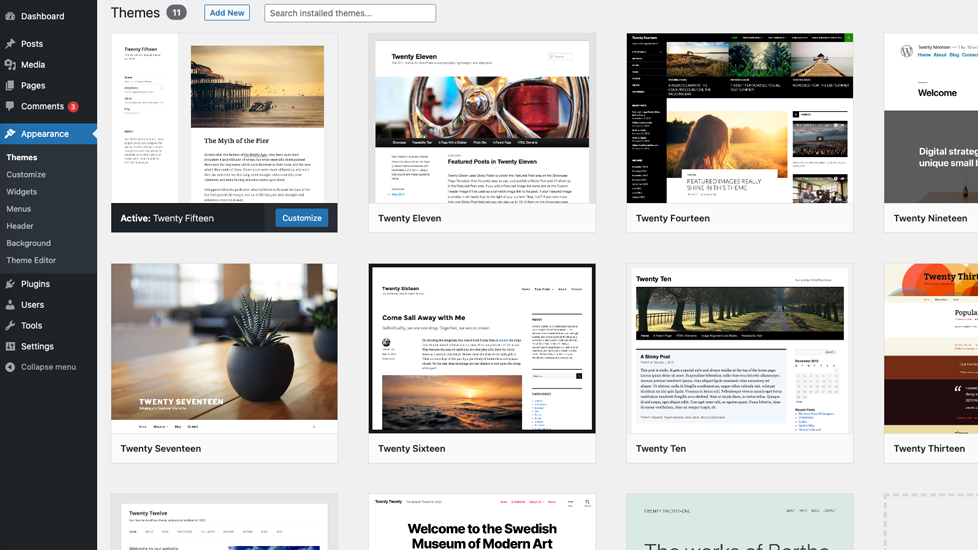
Does Changing WordPress Theme Affect SEO? What You Should Know Before Switching
Changing a WordPress theme does not directly affect SEO rankings. However, it can indirectly impact SEO by changing site speed, mobile responsiveness, user experience, and website structure, which are important ranking factors for Google.
Many WordPress website owners worry that switching to a new theme will harm their Google rankings. Others believe a new theme will instantly improve SEO. Both ideas are partly wrong.
The truth is simple: Google doesn’t rank WordPress themes — it ranks websites based on performance and user experience.
Let’s break this down clearly.
What Is a WordPress Theme in SEO Terms?
A WordPress theme controls how your website:
- Looks (design and layout)
- Loads (speed and performance)
- Works on mobile devices
- Displays content and headings
From an SEO point of view, a theme affects the technical and user-experience side of your website, not the content itself.
Google doesn’t care which theme you use.
Google cares about how well your site works for users.
Does Changing WordPress Theme Affect SEO Directly?
Let’s clear the confusion once and for all.
No, changing a WordPress theme does NOT directly affect SEO.
Google does not:
- Penalize sites for changing themes
- Reward sites for using a new or popular theme
- Track theme names or theme brands
If your rankings drop after a theme change, it’s not because you changed the theme — it’s because something important changed along with it.
How Changing a WordPress Theme Can Indirectly Affect SEO
While the theme itself isn’t a ranking factor, it controls many things that are important for SEO.
These include:
- Website speed
- Mobile usability
- User experience
- Page layout and structure
- Core Web Vitals
If these improve, SEO can improve.
If they get worse, rankings can drop.
WordPress Theme Speed and SEO Performance
Page speed is a confirmed Google ranking factor.
Some WordPress themes are:
- Heavy
- Poorly coded
- Filled with unnecessary scripts and animations
If you switch from a fast theme to a slow one:
- Pages take longer to load
- Users leave faster
- Bounce rate increases
This can negatively affect SEO.
On the other hand, switching to a lightweight, well-coded WordPress theme can improve speed and help SEO.
WordPress Theme Design, User Experience, and SEO
User experience plays a big role in modern SEO.
A poorly designed WordPress theme can cause:
- Hard-to-read text
- Confusing navigation
- Poor spacing
- Buttons that are difficult to click
When users struggle, they leave quickly. Google notices this behavior.
A good theme:
- Makes content easy to read
- Improves navigation
- Works smoothly across devices
Better user experience leads to better engagement, which indirectly supports SEO.
Mobile Responsiveness and WordPress Theme SEO
Google uses mobile-first indexing, which means it mainly evaluates the mobile version of your website.
If your new WordPress theme:
- Is not mobile-friendly
- Breaks layouts on phones
- Uses tiny fonts or buttons
Your SEO can suffer.
Always make sure your theme is fully responsive and tested on different screen sizes.
WordPress Theme Structure and SEO Headings
Themes control how headings (H1, H2, H3) and layouts are displayed.
A bad theme may:
- Use multiple H1 tags incorrectly
- Break heading hierarchy
- Visually hide important content
This can confuse search engines.
An SEO-friendly WordPress theme:
- Uses proper heading structure
- Displays content clearly
- Supports clean HTML markup
Changing WordPress Theme and SEO URLs
Most WordPress themes do not change URLs.
However, SEO issues can happen if:
- The theme changes how posts or pages are displayed
- Important internal links disappear
- Breadcrumbs are removed
After switching themes, always check:
- URLs remain unchanged
- Important pages are accessible
- Internal links still work
WordPress Theme Compatibility With SEO Plugins
Not all themes work equally well with SEO plugins.
After changing a theme, check:
- SEO titles and meta descriptions
- Schema markup
- Breadcrumbs
- Table of contents
- Sitemap settings
If your SEO plugin settings reset or break, rankings may be affected indirectly.
When Changing WordPress Theme Can Hurt SEO
Changing your WordPress theme can hurt SEO if:
- Site speed becomes slower
- Mobile layout breaks
- Core Web Vitals scores drop
- Internal links disappear
- Important content gets hidden
These issues are caused by poor theme implementation, not by the theme change itself.
When Changing WordPress Theme Can Improve SEO
Changing your theme can actually help SEO if:
- The new theme is faster
- Mobile usability improves
- Navigation becomes clearer
- Accessibility improves
- User engagement increases
Many websites see SEO improvements after switching to a better-optimized WordPress theme.
Best Practices for Changing WordPress Theme Without SEO Loss
Follow these steps to stay SEO-safe:
- Test the theme on a staging site
- Check mobile responsiveness
- Compare page speed before and after
- Verify heading structure
- Check SEO plugin settings
- Review important pages manually
- Monitor Google Search Console
Doing this greatly reduces SEO risks.
How Long Does SEO Take to Stabilize After a Theme Change?
If everything is done correctly:
- Minor ranking fluctuations are normal
- Rankings usually stabilize within a few weeks
- Improvements appear gradually
If rankings drop sharply, it usually means a technical issue needs fixing.
Final Answer: Does Changing WordPress Theme Affect SEO?
Yes — indirectly.
Changing a WordPress theme does not directly affect SEO rankings, but it can influence site speed, mobile usability, user experience, and structure. These factors affect how users interact with your website, and Google pays close attention to that.
If you choose a fast, mobile-friendly, and SEO-optimized theme, your SEO can improve. If you choose a poorly coded theme, your rankings can suffer.
The theme itself is not the problem — how well it supports your users is what matters.
